
Data pipeline failures aren't always obvious. Jobs can complete successfully, meanwhile incomplete records, stale data, or unexpected metric changes still show up in reports.
Data pipeline anomaly detection helps you flag unusual behavior early and even if the jobs are completed without errors. That visibility gives you more confidence in the information behind reporting, forecasts, and AI-driven workflows.
For businesses that rely on clean, timely, and trusted data, early anomaly detection is a big differentiator.
Why Job Monitoring Doesn't Catch Every Data Problem
Traditional ETL monitoring focuses on whether a job succeeded or failed. While that's important, a successful job doesn't guarantee that the data itself is correct.
Common issues:
- Extracted data returned fewer rows than expected
- A source system sent duplicate records
- A transformation creates an unusual spike in null values
- A campaign data feed may drop an important field
For example, a customer table loads successfully but contains yesterday's data instead of today's. Technically, the pipeline worked, but the data in the report is wrong.
Failure detection shouldn't stop at hard errors. Monitoring also identifies unusual patterns before inaccurate numbers make their way into reports and dashboards.
Catching issues early saves you from spending hours troubleshooting GA4, investigating paid media performance, or questioning whether a campaign actually changed. In many cases, the problem starts with the data collection process, not the platform itself.
What Is Anomaly Detection?
Data pipeline anomaly detection is the process of monitoring pipeline behavior and data outputs for unexpected changes.
Instead of relying only on fixed rules, it looks for patterns that fall outside normal expectations.
This can include changes in:
- Record counts
- Processing time
- Error counts
- Null values
- Duplicate rates
- Freshness of data
- Schema structure
- Metric totals
- Source delivery patterns
- Destination load behavior
Suppose your ecommerce pipeline typically sees 50,000 orders per day. If that number suddenly drops to 9,000, the pipeline still finishes successfully, but the change deserves attention.
Related article: The ROI of Reliable Data Pipelines: Why Downtime Costs More Than You Think
Why Smart Alerts Work Better Than Static Thresholds
Many teams will start with simple rules like “send an alert when record counts fall below a certain number” or “when a job returns an error”.
Static alerts are easy to understand, but they can be too rigid. They can miss subtle issues. A pipeline that normally processes 10 million records may still pass a threshold of 1,000 records, even if the actual load is far below normal.
You could see alert fatigue. If thresholds are too sensitive, teams receive too many notifications and tune them out.
Smart alerts provide more context by considering historical behavior and expected patterns.
For example, you may naturally see lower lead volume on weekends or spikes during major campaigns. Looking at historical trends helps you separate normal fluctuations from problems that need investigation.
Where Anomalies Show Up in Data Pipelines
Source System Issues
Many pipeline failures start upstream. APIs start returning incomplete data, source tables stop updating, or vendors change file formats without warning.
Monitoring source patterns helps you catch problems before they affect reporting. File arrival times, row counts, schema changes, API behavior, and missing fields all provide useful signals.
Processing Issues
Extraction, transformation, and orchestration problems often appear during processing.
Monitoring job duration, retry counts, error trends, and transformation outputs can help identify where a pipeline is starting to break down.
Data Quality Issues
Successful jobs don't guarantee trustworthy results. Even when data moves successfully, the output may still contain:
- Duplicate records
- Invalid values
- High null rates
- Unexpected metric changes
For example, if the number of new users in a daily analytics load drops by 80%, the issue may not be a “traditional” pipeline failure, but it's still something the business needs to know about.
Destination Issues
Problems don't stop after transformations are done. Monitoring destination behavior confirms that information arrived where it should and in a usable format.
For example:
- A destination table doesn't update.
- A merge affects fewer records than expected.
- A reverse ETL job sends incomplete audience data to a marketing platform.
How to Create More Useful Alerts
Effective data pipeline alerts are timely, relevant, and actionable. The best answer 3 questions:
- What changed?
- Why does it matter?
- What should happen next?
Let's compare 2 examples:
- Less helpful: Pipeline failed.
- More helpful: Daily orders pipeline processed 68% fewer records than the 30-day average. Source delivery arrived on time. Review source data before refreshing dashboards.
Understanding the context shortens troubleshooting time and helps you pinpoint the source of a problem faster.
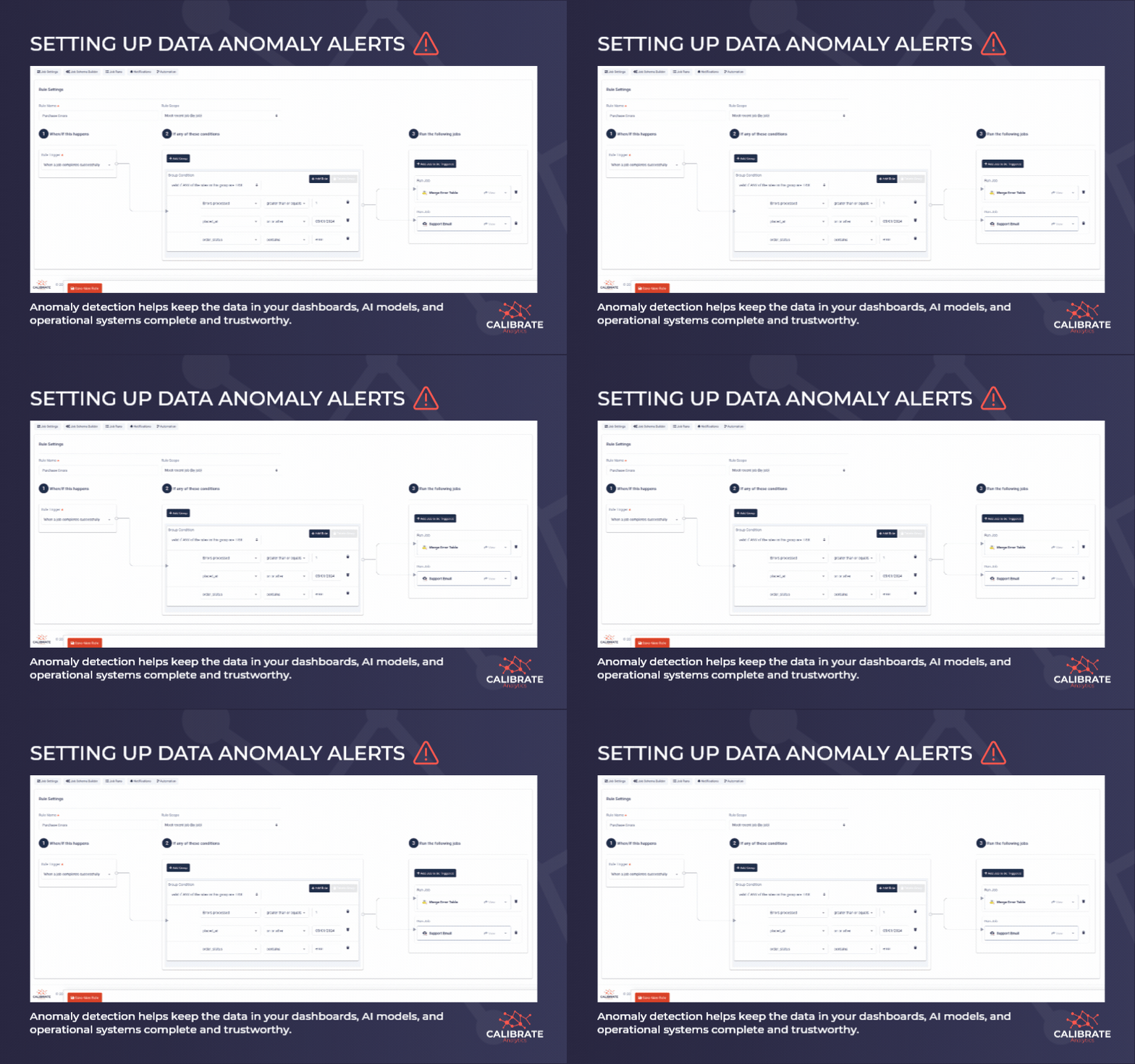
Related: Calibrate's customers use Launchpad to create job rules based on completions, failures, errors, processed records, and even values within job data.
Launchpad can be configured to run a validation job after a data load, trigger an SQL check, start a recovery workflow, or notify the right team when a threshold or condition is met.
Learn more about the Launchpad Data Management Platform here.
How Proactive Monitoring Improves Data Reliability
Traditional workflows are reactive. Problems are often discovered after users flag incorrect reports.
Anomaly detection allows teams to identify early warning signs like:
- A source arriving later than normal
- A job taking longer than expected
- A sharp drop in records processed
- A sudden rise in error counts
- A key metric moving outside its expected range
- An unusual increase in null or duplicate values
- A downstream table not updating as expected
Automated checks reduce manual monitoring and let you spend more time solving issues instead of searching for them.
Why This Matters for AI-Dependent Workflows
Modern analytics systems support:
- Forecasting models
- Audience segmentation
- Customer profiles
- Personalization workflows
- Automated decisions
Bad data in a dashboard is frustrating, but bad data in an automated model or customer workflow can create bigger problems.
Anomaly detection helps you ensure the information reaching reports, models, and operational systems remains complete, fresh, and trustworthy.
Catch Problems Before They Become Business Issues
Pipeline failures aren't always obvious. Many of the most damaging issues occur when jobs complete successfully but deliver inaccurate data.
Early detection improves alerting, reduces manual troubleshooting, and prevents bad information from reaching dashboards, CRMs, warehouses, and AI systems.
If you're exploring ways to strengthen monitoring or automate quality checks, get in touch with the Calibrate team. We're always happy to share ideas and discuss approaches we've seen work across different environments.
Get in touch to learn about how Launchpad users are creating systems that protect their data integrity from source to destination.