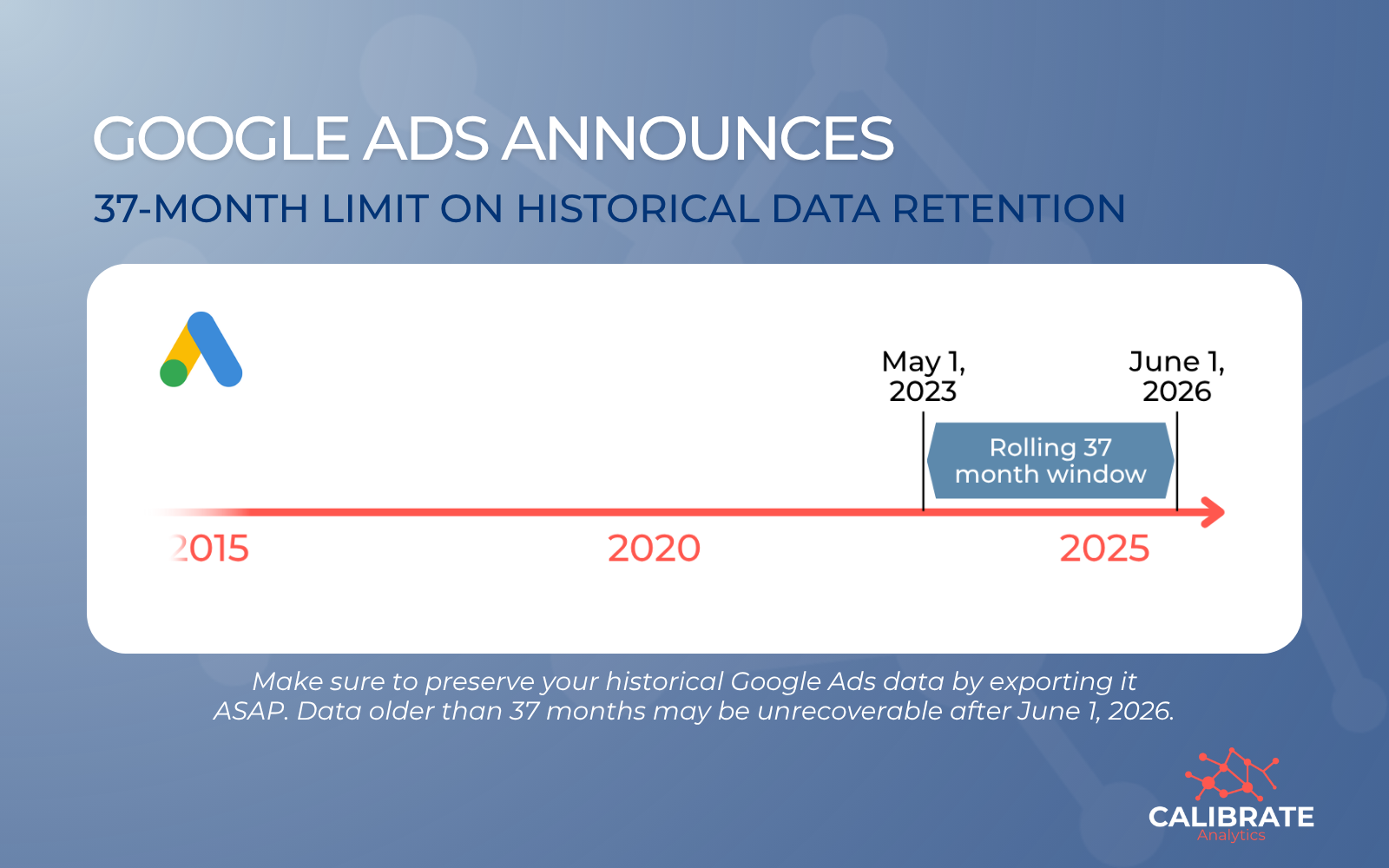
Google Ads reporting is about to change. Starting June 1, 2026, Google will implement a rolling 37-month limit on granular historical data retention.
This change impacts data accessibility across Google Ads, GA4, APIs, and the BigQuery Data Transfer Service. If your reporting relies on year-over-year trends or long-term performance analysis beyond a 3-year window, this will affect you.
Read the announcement from Google here.
From 11 Years to 37 Months: What's Changing?
For years, marketers have enjoyed up to 11 years of historical access to analyze seasonality and long-term growth.
Under the new policy, that window is shrinking significantly for granular data:
- The New Limit: Google is moving to a rolling 37-month data retention policy for granular performance statistics (including daily, hourly, and weekly segments).
- The "Error" Threshold: Once this goes into effect, any API query requesting granular data older than 37 months will return a DateRangeError.
- The Aggregation Catch: While high-level data (monthly, quarterly, or yearly) may be available for longer, any analysis that requires specific details like day-of-week performance or keyword-level shifts will be capped at the 3-year mark.
The Rolling Window Risk
The most critical aspect of this update is that the limit is rolling. Every day the clock moves forward, a day of your historical data becomes inaccessible.
If you're pulling data directly from Google APIs into dashboards like Looker Studio or Power BI, your reports won't just stop updating. They'll gradually lose their historical context over time.
A warning for BigQuery users: Google has noted that manually triggering a backfill for dates older than 37 months via the Data Transfer Service (DTS) could potentially overwrite existing historical data with empty values.
Why This Matters for Your Analytics Strategy
This shift impacts more than just your dashboards. It fundamentally changes how teams:
- Analyze long-term consumer trends.
- Perform multi-year performance comparisons.
- Build accurate forecasting models.
- Maintain data consistency across different internal systems.
Any workflow that depends on detailed historical data will be affected.
Your Action Plan: How to Protect Your Data
To ensure you don't lose years of valuable insights, you should export your data before June 1, 2026. Waiting is not a neutral decision. Once that date passes, data older than 37 months may be permanently unrecoverable.
1. Own Your Data with an ETL Pipeline
Instead of connecting reports directly to an API, implement an ETL (Extract, Transform, Load) platform like Launchpad:
- Extract: Pull granular data daily via the API.
- Transform: Clean and format the data to fit your specific business logic.
- Load: Append this data into a warehouse like BigQuery, Snowflake, or AWS Redshift.
By moving data into your own warehouse, you own the record. When Google's API purges data, your database remains intact.
2. Run Historical Backfills ASAP
If you want to preserve your existing history, start backfilling your data warehouse now.
Large-scale historical exports take time; completing these runs well before the deadline ensures you have a clean, unbroken record of your performance.
3. Audit Your Workflows
Review your current reporting pipelines. Identify any dependencies that rely on data older than 3 years and update your workflows to "append" new data rather than "refreshing" the entire historical range.
Don't Let Your Data Expire
At Calibrate Analytics, we believe you should own your data, not rent it from a platform. If long-term analysis is vital to your business, now is the time to transition from API-dependent reporting to a centralized data strategy.
Is your team prepared for the June 2026 cutoff? Whether you need help setting up your first BigQuery backfill or building a custom ETL pipeline, we're here to help.