If your Google Analytics 4 reports suddenly look different, you're seeing missing rows, inconsistent user counts, or thresholding warnings, there's a good chance your GA4 Reporting Identity settings should be updated.
Understanding how GA4 identifies users is critical to reporting accuracy. Reporting Identity directly impacts how GA4 attributes users, fills data gaps, and displays reporting results.
Below, we'll break down how GA4 Reporting Identity works, explain the differences between Blended, Observed, and Device-based reporting, and share practical recommendations for improving reporting accuracy.
What Is GA4 Reporting Identity?
GA4 Reporting Identity determines how Google Analytics identifies and connects users across devices and sessions.
Unlike Universal Analytics, which primarily relied on browser cookies, GA4 uses multiple identity methods stitched together to build a more complete picture of the customer journey.
Reporting Identity is the method you choose for GA4 to combine these identity signals.
The Four Identity Spaces in GA4
GA4 combines four identity signals to determine how users appear in reports.
-
User-ID is the most accurate identity method available in GA4.
If your website or app has a login system, you can assign unique IDs to authenticated users. This allows GA4 to connect activity across devices and sessions with much higher accuracy.
-
Google Signals uses data from Google accounts whose users have enabled ad personalization.
This improves cross-device tracking and supports advertising features, but can also introduce privacy thresholding into reports.
-
Device-ID refers to traditional browser-based identifiers, including cookies and app instance IDs.
This is the closest equivalent to how Universal Analytics tracked users.
-
Modeling approximates trends and conversions to fill gaps where there's no data available due to cookie consent settings
Google uses machine learning to estimate behavior based on similar users who agreed to share their data.
The Three GA4 Reporting Identity Options
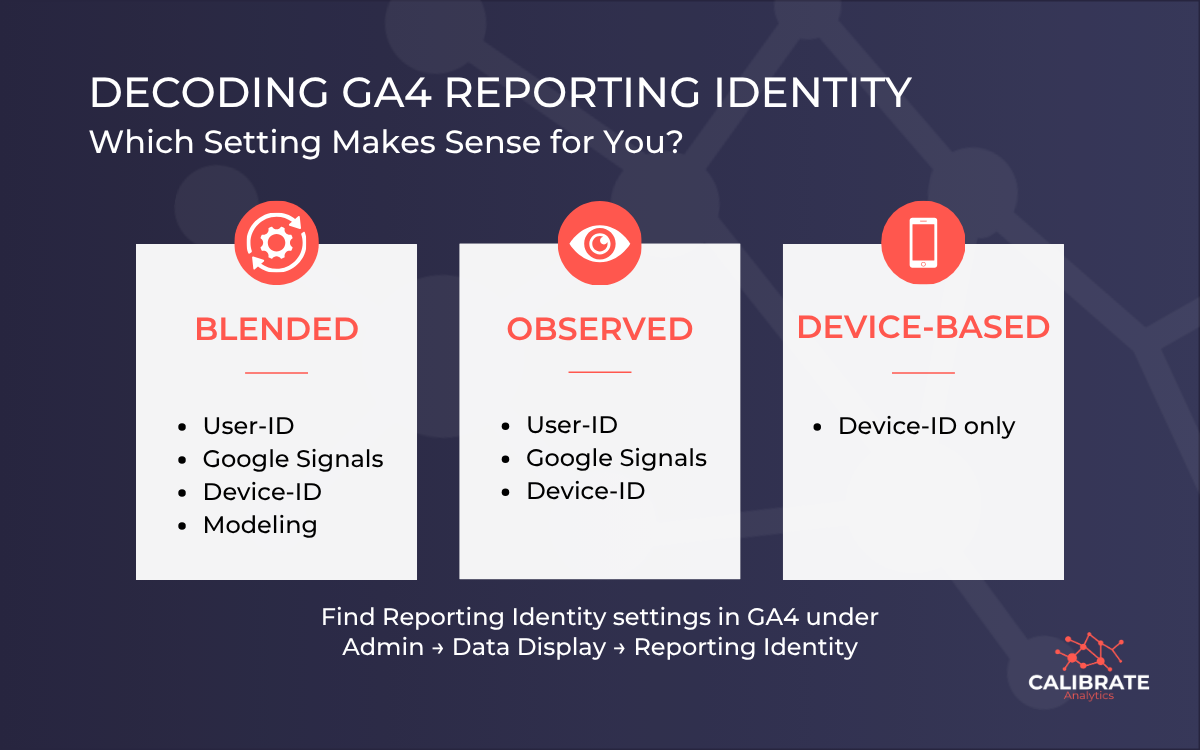
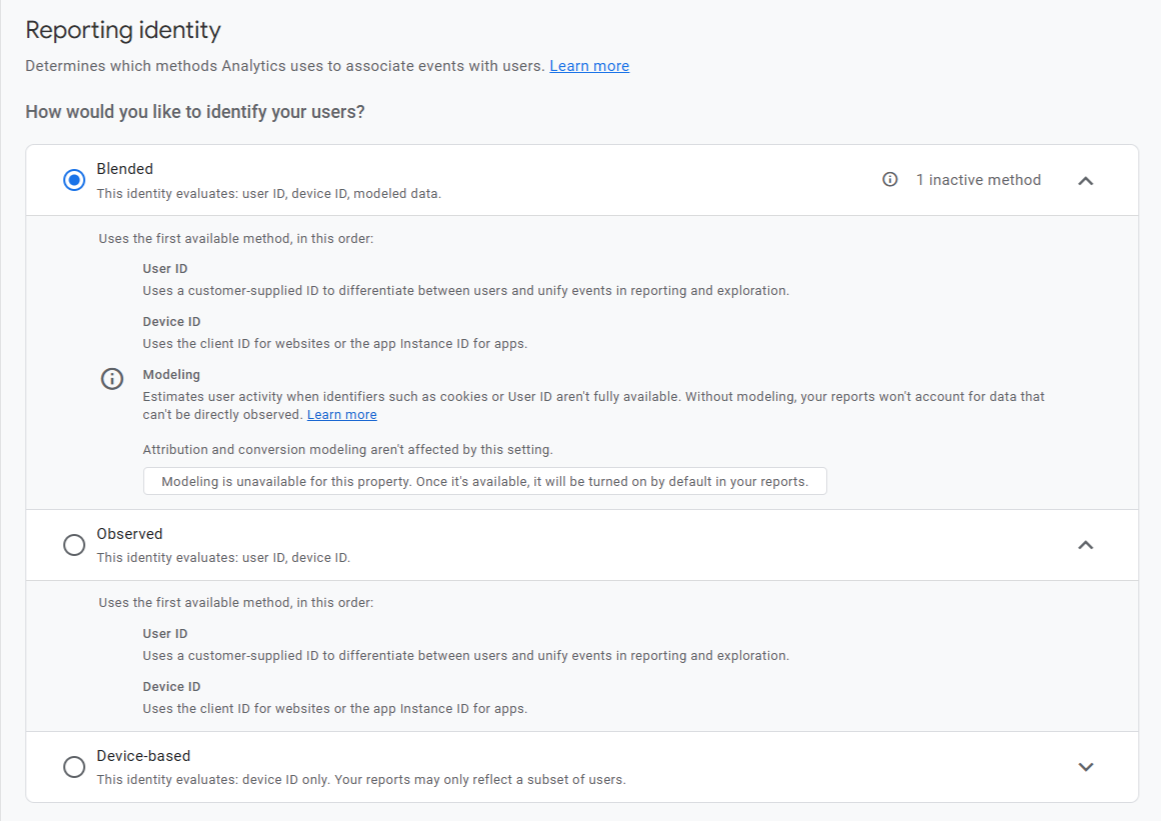
When you navigate to Admin → Data display → Reporting identity, you'll see these three choices:
| Option | What it uses | Best fit for |
|---|---|---|
| Blended | User-ID Google Signals Device-ID Modeling | Businesses with high opt-out rates on consent banners that need estimated data to help fill reporting gaps |
| Observed | User-ID Google Signals Device-ID | Businesses that want to see only real, observed data without machine learning estimates. |
| Device-based | Device-ID | Businesses that want their data to look most like the old Universal Analytics (not recommended). |
How Thresholding Impacts Your GA4 Data
As part of its broader push toward cookie consent compliance, Google gradually shifted many GA4 properties to the Blended Reporting Identity setting throughout 2023 and 2024.
The goal was to help businesses adapt to growing privacy restrictions and cookie consent requirements. While Blended reporting can recover some missing data through modeling, it also creates new challenges for smaller datasets in the form of thresholding.
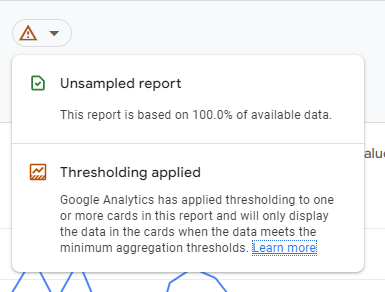
Thresholding happens when Google hides portions of report data to protect user privacy.
This typically happens when:
- Google Signals is enabled
- Traffic volumes are relatively low
- Reports contain small user segments
If you've noticed a triangle warning icon, missing rows, or inconsistent numbers in GA4 reports, thresholding is probably the reason.
For websites with lower traffic, thresholding can make analytics reports feel incomplete or difficult to trust, particularly when analyzing smaller campaigns, audience segments, or conversion paths.
Pro Tip: When to Switch to Observed Reporting
For businesses required to report on actual customer behavior, or those with strong cookie consent rates, Observed reporting is often the better option because it only uses data collected from cookie consent opt-ins.
As a guideline, if your analytics consent acceptance rate is relatively high and you aren't losing a large percentage of users to opt-outs, Observed reporting can provide more reliable visibility into actual user behavior.
Benefits of Observed Reporting
-
Cleaner analytics data
Observed reporting removes all modeling, so the reports only include real user activity captured by GA4. -
Reduced thresholding
While Observed still uses Google Signals, it often feels more stable for smaller datasets than the more complex modeling layer used in Blended reporting. -
More precise reporting
For many small businesses, Observed reporting provides a cleaner, more direct look at the customer journey without relying on machine learning estimates.
Changing your Reporting Identity setting doesn't modify your underlying raw data. It just changes how GA4 processes and displays reporting results.
You can switch between settings at any time to compare how each option impacts your reports.
Final Thoughts
There is no universal “best” Reporting Identity setting in GA4. The right choice depends on your:
- Cookie consent rates
- Traffic volume
- Use of User-ID tracking
- Reporting priorities
- Comfort level with modeled data
For many analytics teams, Observed reporting strikes a good balance between accuracy, usability, and transparency.
The key is understanding how these settings affect your analytics before making decisions based on incomplete or heavily modeled data.
Need Help Improving GA4 Reporting Accuracy?
At Calibrate Analytics, we help businesses build cleaner analytics infrastructure, improve GA4 reporting accuracy, reduce reporting inconsistencies, and create actionable dashboards using platforms like BigQuery and Data Studio.
Whether you need a GA4 audit, consent mode review, server-side tracking strategy, or help consolidating marketing data into a unified reporting stack, our team can help.